
Import from DocX, Markdown, and Text Files
Step 1: Locate Your Files
Section titled “Step 1: Locate Your Files”Open your system’s File Explorer and navigate to the folder containing the files you want to include as part of the transfer.
Step 2: Select and Compress Your Files
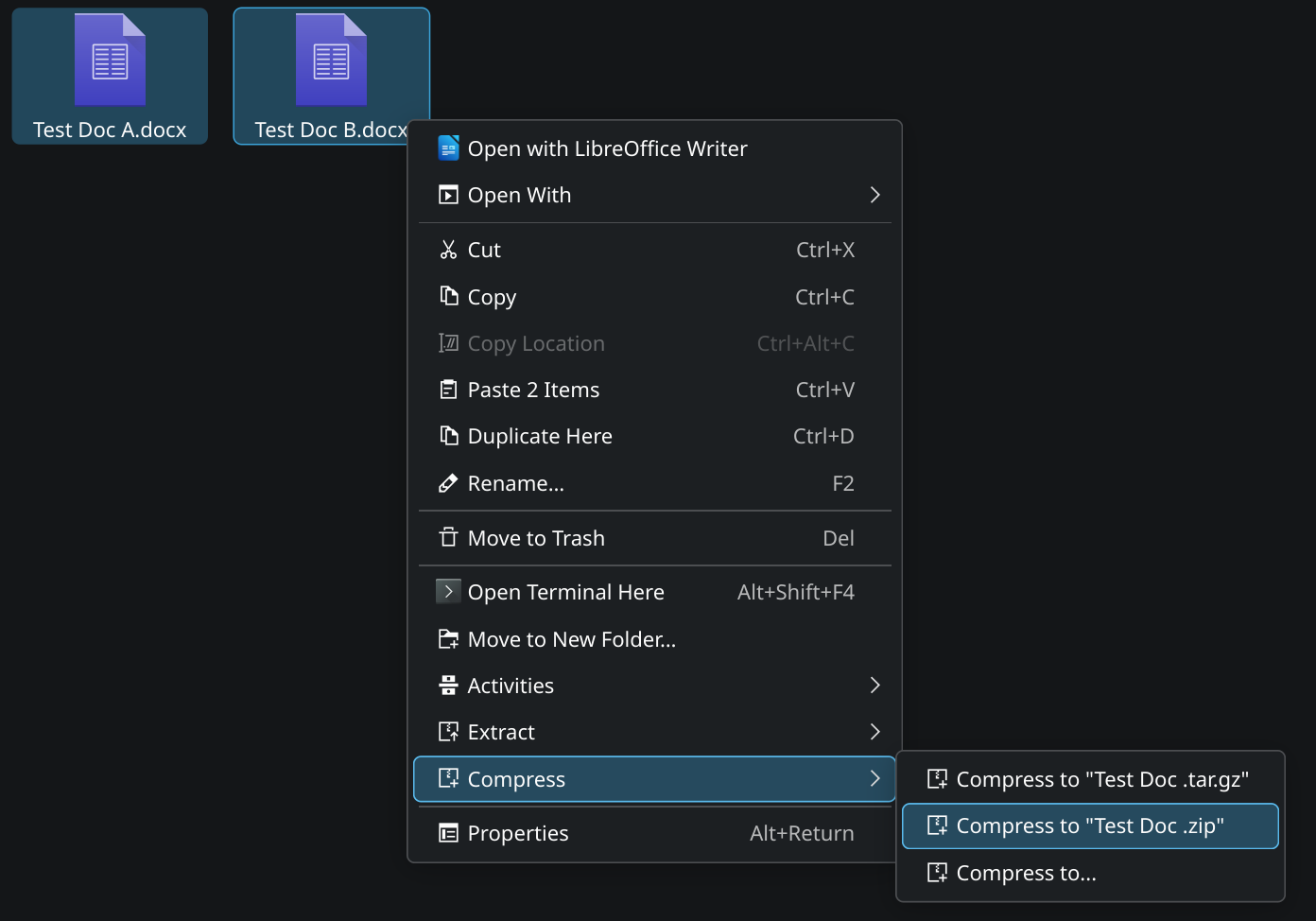
Section titled “Step 2: Select and Compress Your Files”Select the files you want to compress, right-click and find the compress to zip option within your native file system.
Step 3: Select and Compress Your Files
Section titled “Step 3: Select and Compress Your Files”Finally we can return to Feynote and select the Browse button of our File Selection page. Select the zipped file you’ve created and click submit!
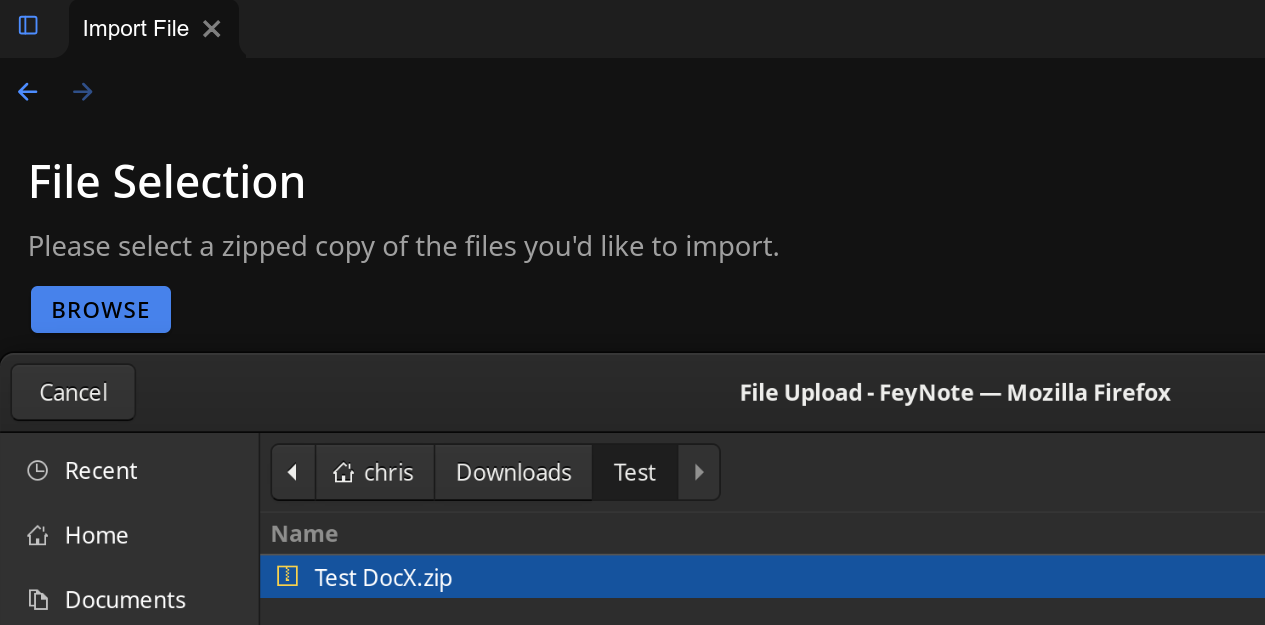
That’s it! Your zip file will start to upload and once its done it will autonavigate you back to the import page where we’ll convert your notes for you! Please do not close or navigate away from the File Selection page until the zip upload is done.